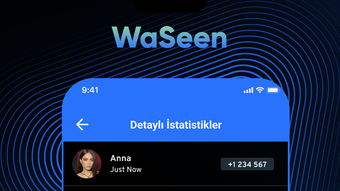

Monitor Your Child’s Online Life Safely
Overview
WaSeen is a desktop application designed for parents who want to stay informed about their children’s digital lives. The software focuses on providing actionable insights into online behavior, helping families maintain a healthy balance between screen time and real-world activities. By offering structured reports and monitoring tools, WaSeen aims to support responsible digital habits among young users.
The application is tailored for parents seeking a reliable way to understand how their children engage with social media, messaging platforms, and other online services. It enables users to track app usage, analyze communication patterns, and set time limits for digital access. These features are particularly useful during study hours, bedtime, or family time, allowing parents to enforce consistent routines.
Developed by WaSeen, the software operates on both Windows and Mac platforms. It is designed as a tool to foster transparency and trust within the family by providing factual data rather than invasive surveillance. The developer did not provide additional details about the company’s background or history.
Real-world use cases include monitoring excessive social media use, identifying potential risks in online interactions, and supporting digital wellness through scheduled access controls. The software is intended for home environments where parental oversight is desired without compromising the child’s privacy.
Key Features & Capabilities
- Online Tracking Reports: Generate detailed summaries of your child’s digital activity, including time spent on specific apps and websites. These reports help identify usage trends and support informed discussions about healthy online habits.
- Message Analysis: Review anonymized summaries of your child’s messaging behavior across social platforms. This feature provides insight into communication patterns without accessing private content.
- Online Tracking and Control: Set customizable time limits or daily restrictions on device usage. Parents can schedule access blocks during study periods or bedtime to encourage better focus and sleep hygiene.
- Monthly Analysis: Receive recurring reports that highlight changes in online behavior over time. This feature supports long-term monitoring and helps detect shifts in digital engagement that may require attention.
- Privacy and Security: All data is stored securely and not shared with third parties. The application emphasizes confidentiality, ensuring that sensitive information remains protected.
These capabilities are intended to empower parents with transparency and control. For example, a parent might use monthly reports to discuss screen time habits with their child or adjust restrictions based on observed patterns. The tool is designed to support, not replace, open communication within the family.
User Interface, Workflow & Performance
WaSeen features a clean, intuitive interface designed for ease of navigation. The main dashboard displays key metrics such as daily usage, top apps, and recent activity summaries. Menus are logically organized, allowing parents to access reports, control settings, and review analytics with minimal effort.
Workflow efficiency is supported through quick access to recurring reports and one-click scheduling for time restrictions. The application integrates smoothly with the desktop environment, minimizing disruptions during daily use.
Performance observations are based on general software behavior patterns. The developer did not specify resource usage details. However, the 120 MB installation size suggests a lightweight footprint. Stability during regular use is expected, though exact behavior under high load was not documented.
Users can expect consistent access to features without visible lag or crashes, assuming standard system conditions. The application does not require constant background activity, which may help reduce CPU and RAM usage.
Compatibility & System Requirements
WaSeen is compatible with both Windows and Mac operating systems. The software is available in version 1.0 and has an installation size of 120 MB. This indicates a modest storage footprint suitable for most modern desktops.
Exact system requirements were not listed. The developer did not provide information on minimum CPU, RAM, or disk space needs. Platform compatibility information is limited to the supported OS types.
Installation is straightforward, and the application runs as a standalone desktop utility. No additional dependencies or third-party software are required. Users can expect smooth operation on standard desktop configurations, though specific performance may vary based on hardware and background processes.
Pros and Cons
Pros
- Free to use with no hidden costs
- Available for both Windows and Mac
- Provides structured, actionable reports
- Focuses on privacy and data security
- Offers time management controls for digital access
Cons
- Exact system requirements were not specified
- No information on real-time monitoring capabilities
- Privacy model details were not disclosed
- Monthly analysis reports may lack granular detail
- Developer background remains unclear
FAQ Section
Is WaSeen available for Windows and Mac?
Yes, WaSeen is compatible with both Windows and Mac operating systems.
Is the software free to download and use?
Yes, WaSeen is currently available at no cost. There are no subscription fees or hidden charges.
How often are reports generated?
Users can access weekly, monthly, and annual reports. Monthly analysis is a built-in feature for tracking behavioral changes over time.
Does WaSeen collect private messages?
WaSeen analyzes messaging behavior without accessing the content of private messages. The tool focuses on patterns and frequency rather than individual conversations.
Can I use WaSeen offline?
While the application can be installed and used locally, report generation and data syncing may require an internet connection. Offline functionality is limited to basic monitoring and scheduling.
Final Thoughts + CTA
WaSeen presents a thoughtful solution for parents seeking to understand and guide their children’s digital experiences. Its combination of reporting, time controls, and privacy safeguards offers a balanced approach to online monitoring. The free model makes it accessible to a wide range of families, while its cross-platform availability ensures broad reach.
Although some technical details remain unspecified, the software delivers on its core promise: helping parents foster healthier digital habits. The emphasis on security and data confidentiality adds trust to the experience.
For families looking for a reliable, free tool to monitor online behavior and promote responsible screen use, WaSeen is a strong contender. It supports open dialogue and digital wellness without relying on invasive methods.
Download WaSeen now







